


Have you ever been frustrated by the fact that your website does not appear on Google despite having written amazing content? In most cases, the reason could Technical SEO Checklist for Beginners.
Although it may seem difficult at first, it is simply a bunch of actions that make sure that your site is easily found and ranked by the search engine algorithms.
Below you can find all the information about Technical SEO and a helpful checklist.
What Is Technical SEO?
Technical SEO is a term for improving the technical infrastructure of your website in order to ensure that the search engines such as Google can:
Crawl your site
Index the content
Understand the information
Unlike content or backlinking, technical SEO relates to speed, performance, accessibility, and infrastructure.
It’s like this:
Content – Your Car
Technical SEO – Engine
If you have a bad engine, even the most beautiful car won’t go anywhere.
Why Is Technical SEO Necessary?
This is why technical SEO is essential:
Enhances website ranking
Increases user experience
Facilitates understanding of your website by search engines
Increases organic traffic
Lowers bounce rate
Regardless of how high-quality your content is, it will not rank without technical SEO.
The Ultimate SEO Checklist for Newbies
Here’s what you need to know:
1. Optimize Your Website for Mobile Devices
Over 70% of people browse websites using their phones. Google also practices mobile-first indexing, so it prioritizes your mobile website over all else. Technical SEO Checklist for Beginners (A Step-by-Step Guide to Increase Ranking)
What to do:
Optimize for responsive design
Test your website on various screen sizes
Remove anything that doesn’t work on your phone
Tool Tip: Google Mobile-Friendly Test
2. Speed Up Your Website

Your website speed can really drag you down.
Best Loading Time:
Under 3 seconds
Ways to increase speed:
Image compression
Good hosting service
Browser caching
Optimized CSS and JS
Tool Tip: Use Google PageSpeed Insights
3. Ensure Website Security (HTTPS)
Security affects search engine rankings. It’s time to switch from HTTP for your website.
To-Do List:
Get SSL certificate
Make sure pages run via HTTPS
Resolve mixed content issues
Secure sites build trust and drive better conversions.
4. Address Crawl Errors
Search engines rely on bots to index your website. In case of crawl errors, search engines will not index your web pages.
Possible crawl errors:
Bad URLs (404 errors)
Server problems
Incorrect redirection
Tool Tip: Google Search Console → Coverage Report
5. Generate and Submit XML Sitemap
An XML sitemap assists search engines in discovering all your vital web pages.
Include the following pages:
Blog pages
Service pages
Landing pages
Avoid submitting the following pages:
Duplicate webpages
Broken links
Submit it in Google Search Console
6. Optimize Robots.txt File
It instructs search engines on what pages they should index and what they shouldn’t.
Beginner Tip:
Index vital pages
Exclude administrative or duplicate pages
Example:
User-agent: *
Disallow: /admin/
Allow: /
7. Solve Duplicate Content Problems
Technical SEO Checklist for Beginners Duplicate content may confuse search engines, and that may have an adverse effect on rankings.
Possible Solutions:
Employ canonical tags
Prevent content duplication
Redirect duplicated content
8. Improve URL Structure
URLs must be easy to read and understand.
Example of Good URL:
yourwebsite.com/technical-seo-checklist
Example of Bad URL:
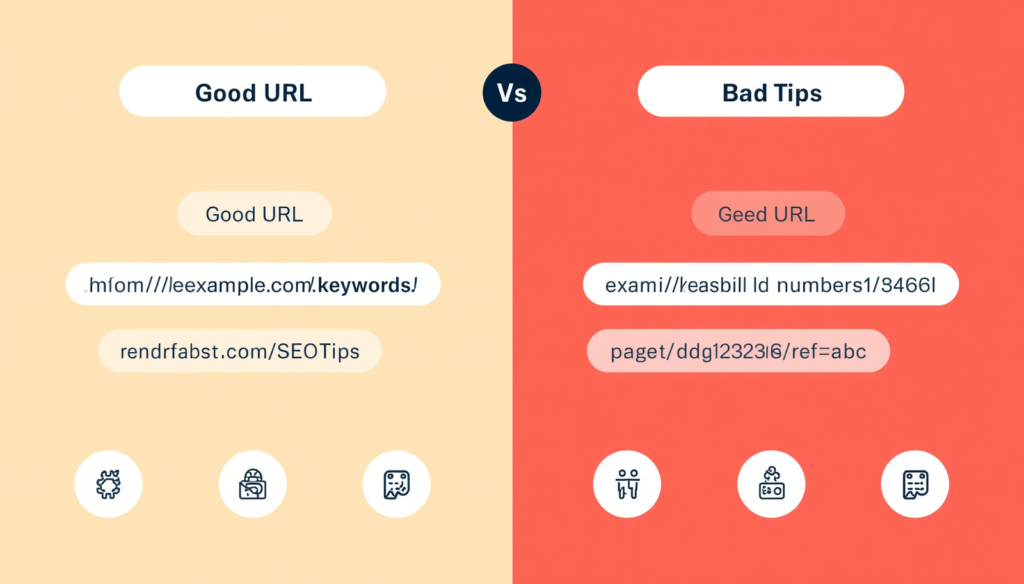
yourwebsite.com/page?id=12345
Recommendations:
Make it concise
Don’t use special characters
9. Utilize Structured Data (Schema Markup)
Structured data is essential for helping search engines interpret your website’s content accurately.
Advantages:
Rich snippet
Increased click-through rate
Examples:
FAQ schema
Article schema
Product schema
10. Enhance Internal Links
Internal links are useful for both navigation and SEO purposes.
Tips:
Link related pages
Include keyword-based anchor text
Eliminate broken links
For example: Link blogs to the services page
11. Image Optimization
Even images have SEO importance.
To do list:
Use compressed images
Add alternative texts
Name files appropriately
For example:
Rather than IMG123.jpg
Name as technical-seo-checklist.jpg
12. Resolve Indexing Problems
In some cases, your web pages will not get indexed by Google.
How to proceed:
Search using the query “site:yourdomain.com”
Google Search Console
Indexing request
13. Repair Broken Links
Broken links affect both SEO and user experience negatively.
Categories:
Internal broken links
External broken links
Ensure their repair or redirection
14. Include Canonical Tags
Canonical tags inform search engines about the original page version.
Importance:
Prevent duplicate content issues
Focus rankings on one version
15. Implement Breadcrumb Navigation
Breadcrumb navigation assists with navigation and SEO.
Example:
Home > Blog > SEO > Technical SEO
Helps humans and search engines
16. Optimize Core Web Vitals
Google takes into account these user experience metrics:
Largest Contentful Paint (LCP)
First Input Delay (FID)
Cumulative Layout Shift (CLS)
Ensure fast load, interaction, and smoothness
17. Disable Unneeded Plugins
Excessive plugins may negatively affect the performance of your website.
Recommendations:
Uninstall unnecessary plugins
Use light plugins
Ensure timely updates
18. Use Proper Website Structure
Properly structured websites are great for SEO.
Proper Website Structure Includes:
Homepage
Categories
Subcategories
Pages
Always keep things organized and easy to use
Some Technical SEO Pitfalls You Shouldn’t Fall Into
Not optimizing for mobile
Too slow website
Not using HTTPS
Using duplicate content
Broken links
Poorly structured URLs
Conclusion
Although technical SEO can be quite daunting, you will soon realize that everything gets easier once you follow the steps above.
Consistency is vital.
First things first – do the following:
Have mobile responsive website
Loading speed is optimized
Indexing is done correctly
From there on, you can take up more complex SEO actions.